
🛡️ Hardening Lighttpd: A Proactive Security Guide
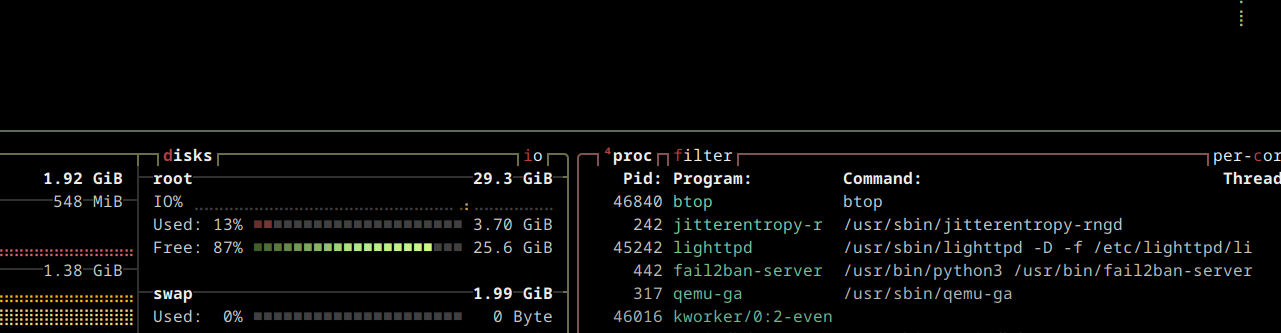
Site Building, creating the production stack
Company: Personal Project
Lighttpd is legendary for being lightweight, but its "secure by default" nature requires a specific touch when transitioning from Apache. Here is a guide to hardening your instance based on a production-ready configuration.
Transitioning from Apache to Lighttpd often reveals that Lighttpd is "too efficient"—it does exactly what you tell it, which can lead to information leakage if you aren't careful. This guide covers how to transform a default Lighttpd instance into a hardened, stealthy web server.
1. The Hardened Configuration (lighttpd.conf)
This sample configuration focuses on Surface Area Reduction and Strict URL Normalization.
server.modules = (
    "mod_indexfile",
    "mod_access",
    "mod_alias",
    "mod_redirect",
    "mod_auth",
    "mod_fastcgi",
    "mod_status",
    "mod_authn_file",
    "mod_rewrite",
    "mod_magnet",
)

# --- Identity & Stealth ---
server.tag = "Webserver" # Obscure version info
server.username = "www-data"
server.groupname = "www-data"

# --- Directory & Metadata Protection ---

# 1. Block Publii metadata leakage
$HTTP["url"] =~ "^/files\.publii\.json$" {
    url.redirect = ( "" => "/" )
    url.redirect-code = 301
}

# 2. Prevent pattern-based file discovery
$HTTP["url"] =~ "\.(it|env|htaccess)$" {
    url.access-deny = ("")
}
url.access-deny = ( "~", ".inc" )

# 3. Stealth Directory Handling (The Lua Gate)
$HTTP["url"] =~ "/$" {
    magnet.attract-physical-path-to = ( "/etc/lighttpd/redirect.lua" )
}

# --- Security & Normalization ---
server.http-parseopts = (
  "header-strict"           => "enable",
  "host-strict"             => "enable",
  "host-normalize"          => "enable",
  "url-normalize-unreserved"=> "enable",
  "url-normalize-required"  => "enable",
  "url-ctrls-reject"        => "enable",
  "url-path-2f-decode"      => "enable",
  "url-path-dotseg-remove"  => "enable",
)

# --- Performance & Resource Limits ---
server.use-noatime = "enable"
server.max-read-idle = 60
server.max-write-idle = 60

# --- Access Control ---
$HTTP["remoteip"] == "192.168.16.0/24" {
    status.status-url = "/server-status"
}
2. The "Silent Guard" Lua Script
Standard hardening usually disables directory listings, resulting in a 403 Forbidden error. To a scanner, a 403 confirms a directory exists. Our Lua script provides a "stealth" response by redirecting empty directories back to the root.
File: /etc/lighttpd/redirect.lua
-- LIGHTTPD DIRECTORY HARDENING SCRIPT
-- Purpose: Prevent Directory Discovery & Information Leakage

-- Step 1: Capture the resolved physical path on the disk
local path = lighty.env["physical.path"]

-- Step 2: Define allowed entry points.
local has_index_html = lighty.stat(path .. "index.html")
local has_index_php  = lighty.stat(path .. "index.php")

-- Step 3: Enforcement Logic
-- If no index exists, we 'black-hole' the request to the homepage.
if (not has_index_html and not has_index_php) then
    lighty.header["Location"] = "/"
    return 302
end
3. Key Hardening Concepts Explored
Obscuring Server Identity
By setting server.tag = "Webserver", we stop broadcasting our specific version number. This prevents attackers from easily identifying if your server is susceptible to version-specific CVEs.
HTTP Normalization
The server.http-parseopts section is vital. By enabling url-path-dotseg-remove, you mitigate Directory Traversal attacks (e.g., ../../etc/passwd). The server cleans the URL before processing it, ensuring an attacker cannot "climb" out of your web root.
The "Silent Guard" Logic
Using mod_magnet to check for file existence before the response is sent allows for complex logic that static configuration cannot handle. This ensures that valid subdirectories (with an index.html) work perfectly, while everything else is seamlessly redirected.
4. Verification & Log Auditing
To ensure your hardening is active, monitor your access logs:
tail -f /var/log/lighttpd/access.log
How to read your logs:
Status 200: A legitimate file was found and served.
Status 301: A blocked metadata file (like
files.publii.json) was caught and redirected.Status 302: The Lua script caught a directory without an index and bounced the user home.
Detecting Scanners:
If you see an IP address generating multiple 302 entries in rapid succession, you have identified a bot attempting to map your directory structure. Because of your hardening, the bot has gained zero information about your server's layout
Additional Hardening Suggestions
Disable Follow-Symlinks: If you currently have
server.follow-symlink = "enable". Unless your site specifically relies on symlinks, setting this to"disable"prevents an attacker from tricking the server into reading files outside the web root (like/etc/shadow) if they find a way to create a link.MIME-Type Sniffing: Add a header to prevent browsers from guessing file types, which can lead to XSS:
Code snippetsetenv.add-response-header = ( "X-Content-Type-Options" => "nosniff" )(Requires
mod_setenv)
You should also read:

Automated Print Cost Recovery & Client Billing Integration
Print-to-Profit Solution
Company: Gold Business Technologies Ltd.
In professional services environments (particularly legal and consulting firms), printing, copying, and scanning costs represent a significant expense. Recovering these costs from clients—by accurately allocating usage to specific matters, clients, or departments—was historically manual, inconsistent, and prone to under-billing or disputes.
Continue reading...
Moneris Payment Gateway Integration for Online Invoice Payment
Drupal-Based Solution
Company: Gold Business Technologies Ltd.
Customers increasingly requested secure, non-PayPal options for paying invoices online. To meet this demand, the company selected Moneris as the payment processor. However, integrating Moneris into the existing infrastructure presented significant technical challenges due to an outdated website and legacy systems.
Continue reading...
Lottery Terminal Field Update & Rescue Toolkit
Custom Live Linux Distribution
Company: NCR Canada Ltd.
In the era before widespread high-speed internet, updating lottery terminal firmware or gaming software was extremely inefficient. Terminals used slow 1200 baud modem connections (often taking days for transfers), and the alternative—shipping specialized USB jump drives with EXT filesystem images—was costly, logistically complex, and incompatible with standard Windows systems.
Continue reading...