
Setting up a reverse proxy with PfSense®

HaProxy - highly configurable proxy package
Company: Personal Project
I needed to protect and build a front end to serve many sites that I have behind the one IP my current location has been assigned. Haproxy offered that very solution with its highly manageable and high performnace load balancer which is included as a package avaliable in pfsense.
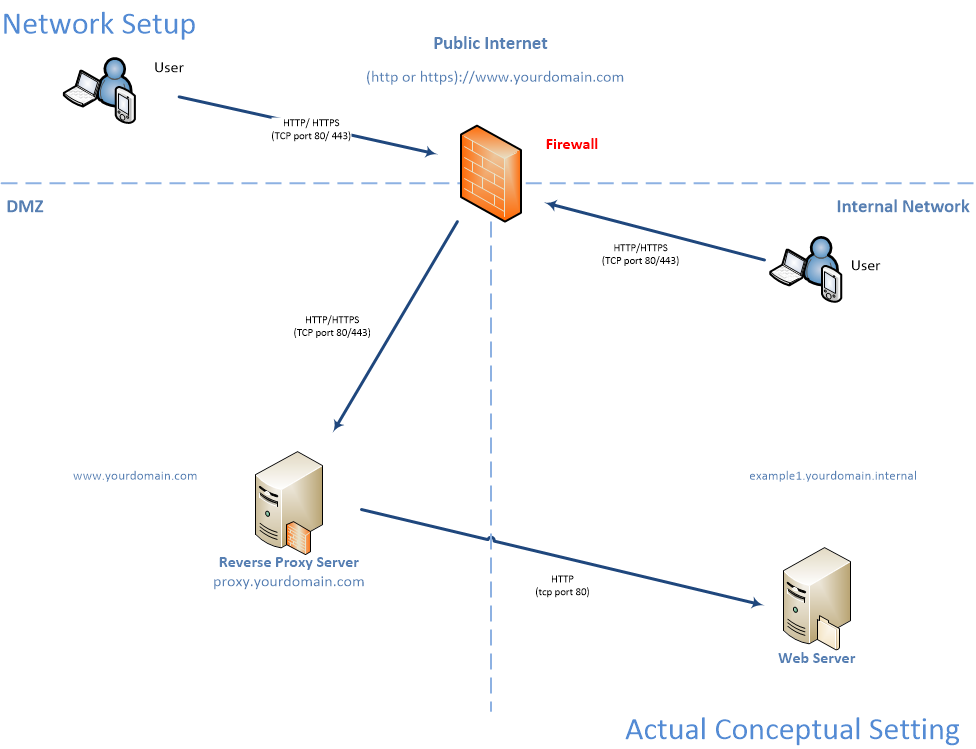
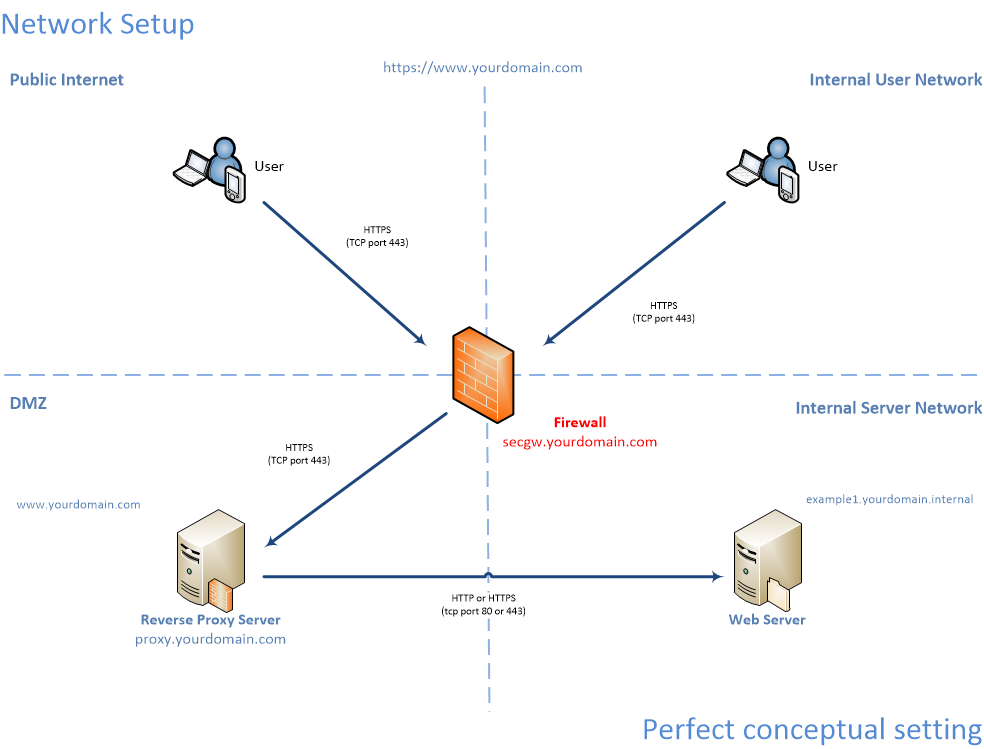
Like all the literature says this is a high capacity load balancing proxy. It is like a Swiss army knife for hosting. This will be the base for our host platform and redirecting our web traffic to the back end hosting servers. This proxy can also redirect other protocols other than plain web traffic, at the moment it can do other TCP based protocols. Bonus, It will work alongside SQUID as well without an issue, unless you use SQUID as your reverse proxy! Then you will have to choose!
Before we get into the nuts and bolts of setting up a pretty basic reverse proxy with HaProxy, we have to make some changes to better secure and route our traffic.
First off, if you have taken the steps to generate some certificates with Let’s Encrypt and the acme package then perfect.
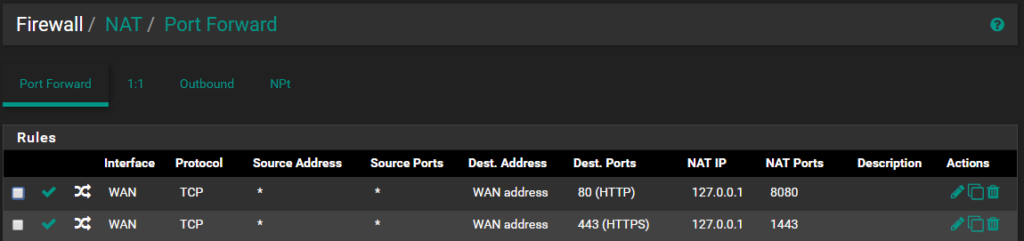
So let’s go on to setting our NAT rules and port redirects: Menu / Firewall / NAT
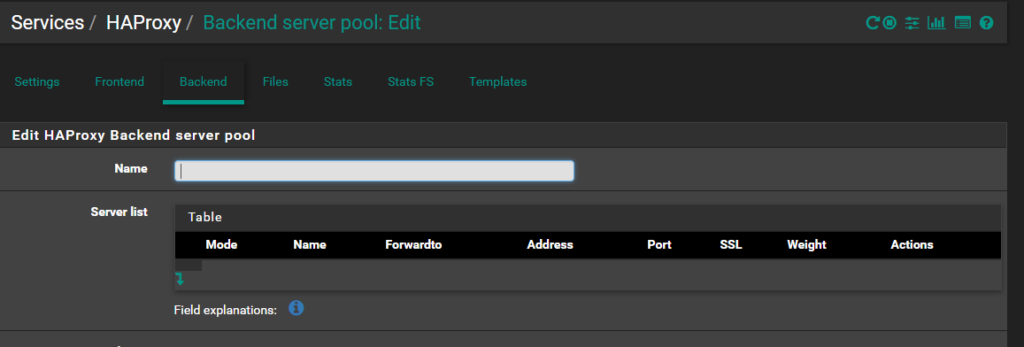
Services / HAProxy / Settings
For a pretty modest and basic setup, you can leave all the settings at default except two, the Maximum connections should be at least 5000 to 10000 and Custom options.
If you want an A rating from Qualys SSL Labs, put this code into the Custom options box:
# Modern browser compatibility only as mentioned here:
# https://wiki.mozilla.org/Security/Server_Side_TLS
ssl-default-bind-options no-sslv3 no-tlsv10 no-tls-tickets
ssl-default-bind-ciphers ECDHE-ECDSA-AES256-GCM-SHA384:ECDHE-RSA-AES256-GCM-SHA384:ECDHE-ECDSA-CHACHA20-POLY1305:ECDHE-RSA-CHACHA20-POLY1305:ECDHE-ECDSA-AES128-GCM-SHA256:ECDHE-RSA-AES128-GCM-SHA256:ECDHE-ECDSA-AES256-SHA384:ECDHE-RSA-AES256-SHA384:ECDHE-ECDSA-AES128-SHA256:ECDHE-RSA-AES128-SHA256:!aNULL:!eNULL:!EXPORT:!DES:!RC4:!3DES:!MD5:!PSK
tune.ssl.default-dh-param 2048
tune.ssl.maxrecord 1370
ssl-default-server-options no-sslv3 no-tlsv10 no-tlsv11 no-tls-tickets
ssl-default-server-ciphers ECDHE-ECDSA-AES256-GCM-SHA384:ECDHE-RSA-AES256-GCM-SHA384:ECDHE-ECDSA-CHACHA20-POLY1305:ECDHE-RSA-CHACHA20-POLY1305:ECDHE-ECDSA-AES128-GCM-SHA256:ECDHE-RSA-AES128-GCM-SHA256:ECDHE-ECDSA-AES256-SHA384:ECDHE-RSA-AES256-SHA384:ECDHE-ECDSA-AES128-SHA256:ECDHE-RSA-AES128-SHA256:!aNULL:!eNULL:!EXPORT:!DES:!RC4:!3DES:!MD5:!PSK
Note: The above box may wrap text; ensure no unwanted newlines are introduced in your config.
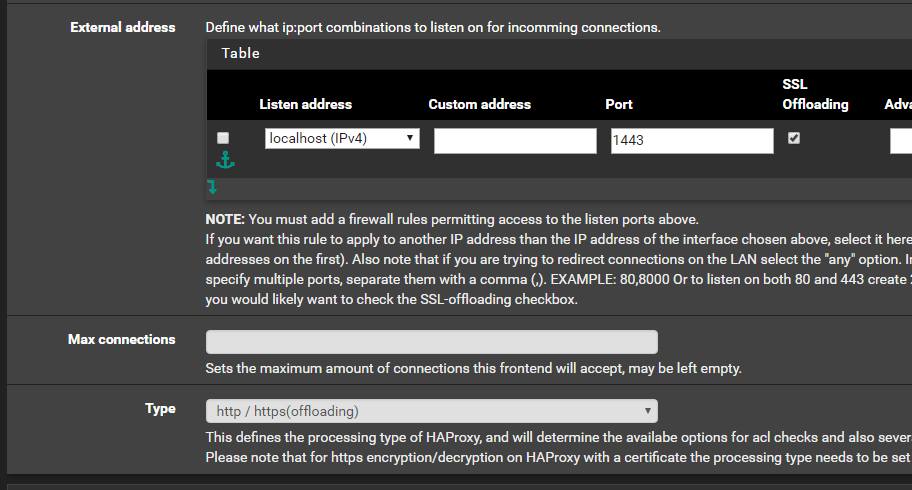
HTTPS Traffic & Offloading
Under Type, choose "http https(offloading)". It is really important to ensure the SSL Offloading box is checked or you will not be able to process security certificates.
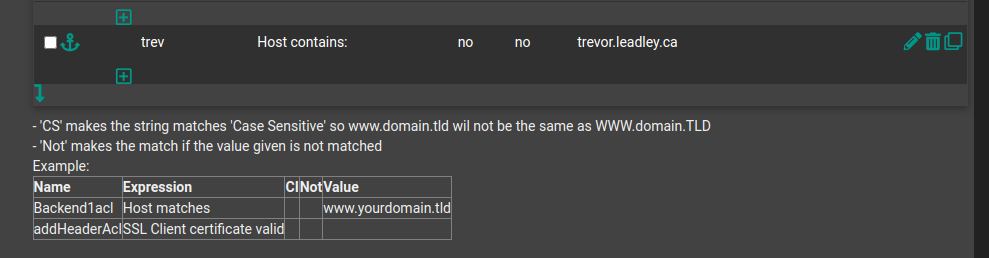
ACL and Actions
ACL is what you want the service to do when it gets a header match (usually your domain name). The order matters: keep your base domain last. Under Actions, direct the traffic to your backend server.
Conceptual Network Diagrams
Environment Specs
- Intel(R) Xeon(R) CPU E5507 @ 2.27GHz, 2GB RAM
- PfSense® 2.4.0-RELEASE (amd64)
- acme 0.1.21 | haproxy 0.52_14
References
You should also read:
Automated Print Cost Recovery & Client Billing Integration
Print-to-Profit Solution
Company: Gold Business Technologies Ltd.
In professional services environments (particularly legal and consulting firms), printing, copying, and scanning costs represent a significant expense. Recovering these costs from clients—by accurately allocating usage to specific matters, clients, or departments—was historically manual, inconsistent, and prone to under-billing or disputes.
Continue reading...
Moneris Payment Gateway Integration for Online Invoice Payment
Drupal-Based Solution
Company: Gold Business Technologies Ltd.
Customers increasingly requested secure, non-PayPal options for paying invoices online. To meet this demand, the company selected Moneris as the payment processor. However, integrating Moneris into the existing infrastructure presented significant technical challenges due to an outdated website and legacy systems.
Continue reading...
Lottery Terminal Field Update & Rescue Toolkit
Custom Live Linux Distribution
Company: NCR Canada Ltd.
In the era before widespread high-speed internet, updating lottery terminal firmware or gaming software was extremely inefficient. Terminals used slow 1200 baud modem connections (often taking days for transfers), and the alternative—shipping specialized USB jump drives with EXT filesystem images—was costly, logistically complex, and incompatible with standard Windows systems.
Continue reading...