
DFIR Collection Toolkit
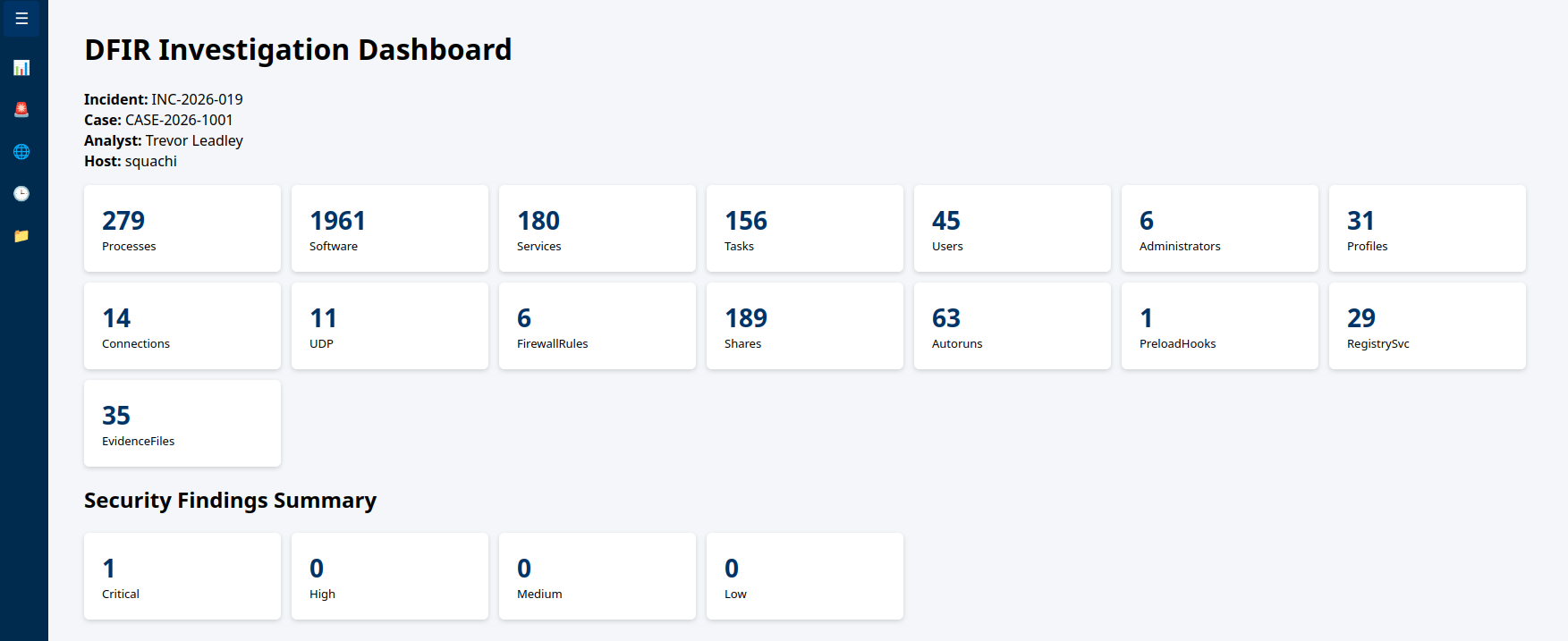
Digital Forensic Incident Response Artifact Collection Toolkit
Company: Personal Project
Overview
When responding to a potential breach, speed and consistency are critical. The Digital Forensic Incident Response & Artifact Collection Suite is a unified, open-source live-response toolkit designed to perform automated triage across Linux, Windows, and macOS systems.
By querying native operating system interfaces and low-level kernel metadata, the toolkit gathers volatile and non-volatile evidence, exports structured CSV deliverables, generates SHA-256 integrity hashes, and builds an offline HTML analysis dashboard for rapid threat identification.
Key Capabilities & Coverage
Multi-OS Parity: Standardized collection logic for Linux (
.sh), Windows (.ps1), and macOS (.sh).Volatile & Non-Volatile Inspection: Captures running process trees, network sockets, active persistence mechanisms, user accounts, and execution hooks.
Execution Hook Detection: Specifically audits userland rootkits and debugging hijacking—such as
/etc/ld.so.preloadon Linux andImage File Execution Options (IFEO)on Windows.Automated Risk Scoring: Built-in threat detection rules flag high-risk process execution paths (
/tmp,AppData\Local\Temp), reverse shells, and unauthorized privilege escalation vectors.Chain of Custody: Calculates SHA-256 cryptographic hashes for every output CSV and packages evidence into a secure, timestamped archive (
.tar.gz/.zip).- Artifact Search Function: Allows for a quick search of all artifacts collected opening the cooresponding artifacts searched.

Artifact Mapping Architecture
| Domain | Linux Implementation | Windows Implementation | macOS Implementation |
| Processes | /proc, ps aux | Win32_Process, Get-Process | launchctl, ps |
| User Profiles | /etc/passwd, /home/* | Win32_UserProfile, C:\Users | /Users/* |
| Privileges | /etc/sudoers, /etc/group | Local Administrators Group | admin group membership |
| Execution Hooks | /etc/ld.so.preload | Registry: IFEO Debuggers | DYLD_INSERT_LIBRARIES |
| Persistence | crontab, systemd timers | Get-ScheduledTask, Services | LaunchDaemons, LaunchAgents |
Getting Started
The full suite is available on GitHub. You can execute live collection in minutes:
# Linux / macOS
    sudo ./Linux/IR_DFIR_Collection_Toolkit_v1_1.sh
# Windows (Elevated PowerShell)
.\Windows\IR_DFIR_Collection_Toolkit_v1_2.ps1Command-Line Switches & Operational Flags
The toolkit operates in Trial mode by default to allow safe dry-runs and validation without modifying host state. You can pass explicit flags to trigger active triage actions, isolate compromised hosts, attach incident metadata, or request memory dumps.
sudo ./IR_DFIR_Collection_Toolkit_v1_1.sh [options]
Available Options
Usage Examples
1. Safe Trial Run (Dry-Run / Non-Destructive)
Runs artifact checks in trial mode without taking active isolation steps or live system modifications:
sudo ./IR_DFIR_Collection_Toolkit_v1_1.sh --analyst "T. Leadley" --log-format json
2. Standard Live Incident Triage
Executes live collection, tags the case details, and generates structured CSV logs:
sudo ./IR_DFIR_Collection_Toolkit_v1_1.sh --live --incident-id INC-8801 --case-number C-2026-09 --analyst "T. Leadley" 3. Emergency Containment & Memory Capture
Isolates a compromised host from the network immediately while executing a live triage and flagging volatile memory acquisition (future option):
sudo ./IR_DFIR_Collection_Toolkit_v1_1.sh --live --disable-networking --collect-memory --incident-id INC-9904 --analyst "T. Leadley"
You should also read:

Automated Print Cost Recovery & Client Billing Integration
Print-to-Profit Solution
Company: Gold Business Technologies Ltd.
In professional services environments (particularly legal and consulting firms), printing, copying, and scanning costs represent a significant expense. Recovering these costs from clients—by accurately allocating usage to specific matters, clients, or departments—was historically manual, inconsistent, and prone to under-billing or disputes.
Continue reading...
Moneris Payment Gateway Integration for Online Invoice Payment
Drupal-Based Solution
Company: Gold Business Technologies Ltd.
Customers increasingly requested secure, non-PayPal options for paying invoices online. To meet this demand, the company selected Moneris as the payment processor. However, integrating Moneris into the existing infrastructure presented significant technical challenges due to an outdated website and legacy systems.
Continue reading...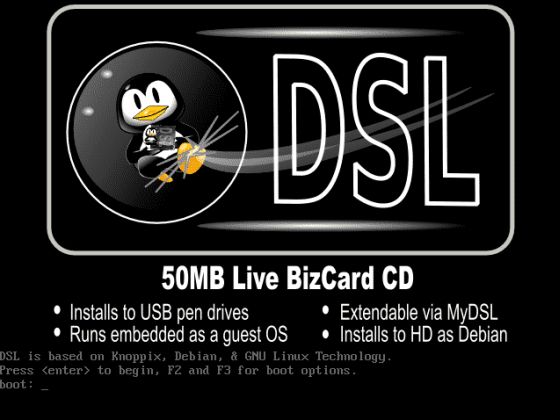
Lottery Terminal Field Update & Rescue Toolkit
Custom Live Linux Distribution
Company: NCR Canada Ltd.
In the era before widespread high-speed internet, updating lottery terminal firmware or gaming software was extremely inefficient. Terminals used slow 1200 baud modem connections (often taking days for transfers), and the alternative—shipping specialized USB jump drives with EXT filesystem images—was costly, logistically complex, and incompatible with standard Windows systems.
Continue reading...